
Chose the best option for you:
Can one simple setup replace your cable box and stop the app hunt for kickoff?
You want a single, reliable way to catch every match without checking five apps. More soccer is available via legal streaming now than ever before, and quality often matches or beats cable.
This guide previews exactly what to look for. Expect a quick “what to look for” checklist, then clear breakdowns of price, coverage, trials, compatible devices, and which services suit which fans.
Reality check: availability and TV playback are not barriers anymore. With a few extra steps, you can mirror or stream matches to your TV and follow multiple competitions by combining the right subscriptions—often for less than cable.
By the end, you’ll see which services carry which competitions, where local broadcasts matter, and a short list of best options for your must-watch games, budget, and devices. Note: rights and prices change in 2026, so you’ll get tips on what to verify before you subscribe.
Key Takeaways
- You can replace cable with legal streaming for most matches.
- Combine subscriptions to cover multiple competitions affordably.
- Streaming quality and TV playback are comparable to cable.
- Guide will list prices, coverage, trials, devices, and best-fit fans.
- Check current 2026 rights and offers before starting a subscription.
Why streaming is the easiest way to keep up with soccer in the US right now
More legitimate streaming services now carry major matches, making access easier than many fans expect. Rights are split, but that split means more services carry meaningful competitions. You can pick the ones that match your must-see list.
More legal streams than you think
Gone are the days of hunting for a single channel. Multiple platforms carry European cups, domestic leagues, and Spanish-language feeds. Expect to combine one or two services depending on whether you follow continental cups or local leagues.
You can still use a TV
Streaming doesn’t mean a small screen. Common TV options include smart TV apps, Roku, Fire TV, Apple TV, Chromecast/AirPlay, and game consoles. A couple of setup steps get any stream on your big screen.
Picture, stability, and flexibility
Quality often matches or beats cable. Many paid streams offer HD and select 4K events, with stable playback for big matches. Streaming also gives replay access, highlights, and month-to-month plans so you can rotate subscriptions around busy periods.
- More legal coverage across several services
- Easily mirror or cast to a TV with common devices
- High picture quality and replay options
Next: what to compare before you start a trial or commit to a monthly plan.
What to look for in a soccer streaming service before you subscribe
Before you hit subscribe, check that the streaming service actually carries the competitions you watch most. Rights change season to season, so confirm coverage for league and cup matches before you buy.
App-only libraries can be great for single competitions. Live TV bundles, by contrast, include sports channels and cable channels for broader coverage. Know which model matches your viewing habits.
Local channels matter. Some marquee matches and national broadcasts appear on free networks or local affiliates. If you want those games, verify local channels in your area and how the broadcast works with a subscription.
Evaluate real monthly cost: base price plus add-ons like extra sports packs, DVR upgrades, taxes, and regional fees. Use a short trial to test picture quality, device compatibility, and cancellation rules before renewal.
- Confirm rights for your must-watch competitions.
- Compare app-only vs live-TV bundles and included channels.
- Test a free trial during a busy matchweek and check device support, DVR, and 4K for soccer games at home.
Best soccer streaming services for US sports fans in 2026
Start by matching your must-see fixtures to the service that covers them best. Below is a quick shortlist to help you pick fast, then dive into full reviews.
At-a-glance picks:
- Best overall value: ESPN+ — affordable, big league library, ESPN FC extras.
- Best for Champions League & Serie A: Paramount+ — primary U.S. home; 7-day free trial.
- Best channel lineup: fuboTV — widest soccer selection, locals, DVR, select 4K.
- Best budget cable alternative: Sling TV — flexible Orange vs Blue bundles.
- Best all-in-one bundle: Hulu + Live TV — ESPN, FOX Sports, NBC in one platform.
“Best overall value” means the mix of price, reliable streaming, and the most games per month. ESPN+ often wins here because it gives big leagues without a high base cost.
Separate the options into two groups: league library services (ESPN+, Paramount+) and live channel bundles (fuboTV, Sling TV, Hulu + Live TV). Libraries focus on dedicated competitions. Bundles give broad channel coverage and local stations.
| Service | Strength | Who it suits |
|---|---|---|
| ESPN+ | Affordable league library, analysis shows | Fans who want high value per dollar |
| Paramount+ | Champions League, Europa, Serie A | UEFA-focused viewers |
| fuboTV | Wide channel selection, locals, DVR | Channel-maximizers and households |
| Sling TV | Lower cost, bundle choice | Budget cord-cutters |
| Hulu + Live TV | All-in-one live channels | Families wanting ESPN, FOX, NBC together |
Big trade-offs are simple: libraries give focused coverage at lower cost. Bundles cost more but add local channels, DVR, and broader events. Pick competitions first, then use price, local channels, and device support to narrow your service choice.
ESPN+ review: price, coverage, and who it’s best for
ESPN+ is a practical, low-cost option if you want wide league access without a big bundle. At $10.99/month, the subscription gives steady value for fans who prioritize consistent season-long content over marquee matches.
What you can watch: Bundesliga, La Liga, MLS, and more
You can expect coverage of Bundesliga, La Liga, MLS, UEFA Nations League, the EFL Championship, League One, League Two, FA Cup, League Cup, Eredivisie, Allsvenskan, Belgian Pro League, and select Liga MX games. That mix makes the service strong for weekday fixtures and domestic cups.
Added value: ESPN FC news and analysis programming
ESPN FC adds daily news, analysis, and studio programs that help when there are no games. The shows give context, previews, and highlights that make the subscription useful even on quieter days.
What you won’t get: key gaps to know before the season starts
ESPN+ does not include Premier League or Champions League matches, and it has lost Serie A rights. If those competitions are must-sees, you should treat ESPN+ as a foundation and plan a supplement.
- When to pick ESPN+: you want low monthly price and deep mid-tier coverage.
- What to test early: stream reliability during big games, app performance on your devices, and replay/highlight access.
- Upgrade path: consider pairing with a channel bundle or another service for EPL or UCL matches.
| Feature | What ESPN+ offers | Best for |
|---|---|---|
| Price | $10.99/month | Budget-conscious fans |
| Coverage | Bundesliga, La Liga, MLS, EFL, domestic cups, select Liga MX | Fans of multiple mid-tier leagues |
| Shows & News | ESPN FC studio analysis and daily programs | Viewers who want context and highlights |
| Not included | Premier League, Champions League, lost Serie A rights | Fans needing top-tier European matches |
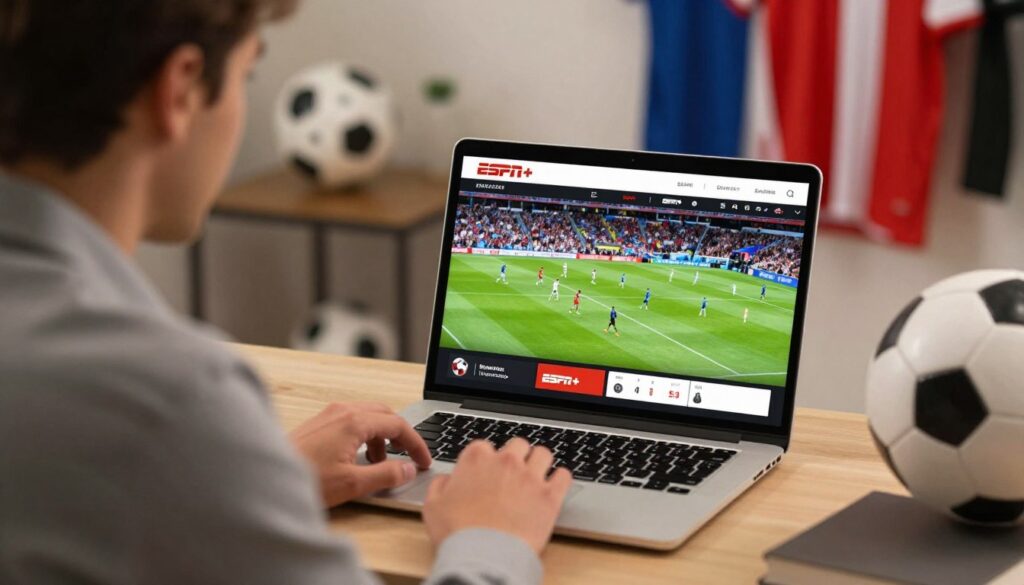
Paramount+ review: UEFA Champions League streaming and beyond
For many fans, Paramount+ is the clear, no-friction path to Champions League coverage in the US. Paramount+ is the CBS/ViacomCBS platform that carries UEFA Champions League, UEFA Europa League, UEFA Conference League, and Serie A.
Champions League streaming on this platform means reliable access across phones, tablets, and TVs. You get match-day broadcasts, studio shows, and on-demand highlights, so games are viewable at home or on the go.
Champions League, Europa League, and UEFA competitions in the US
The app centralizes UEFA tournaments so one subscription covers most major European club nights. That focus makes Paramount+ a simple primary pick if UEFA competitions drive your schedule.
Serie A and additional soccer content on the platform
Beyond UEFA, you’ll find Serie A fixtures and broader entertainment content that boosts household value. The mix of sports and shows can justify the monthly cost for non-sports viewers too.
Free trial details and best time to test it
Paramount+ offers a 7-day free trial. Start the trial right before a big European matchweek to evaluate stream stability, device behavior, and studio coverage under real conditions.
- Decision tip: use Paramount+ as your primary UEFA option, pair with a bundle if you need US sports channels.
- Billing note: confirm renewal date and whether you need an ad-free tier for the best match experience.
- Verify rights: schedules and rights can shift—check current match availability inside the app before committing.
| Feature | What Paramount+ offers | Best for |
|---|---|---|
| UEFA coverage | Champions League, Europa, Conference League | European competition fans |
| League coverage | Serie A matches and highlights | Followers of Italian football |
| Free trial | 7-day free trial available | Test before a big matchweek |
| Platform perks | Apps for TV, mobile, and web; studio shows | Households wanting mixed entertainment |
fuboTV review: the closest thing to “everything” for soccer coverage
If you want the widest set of channels and conference nights, fuboTV often acts as the single subscription many fans try first. It bundles a deep roster of sports channels with specialty soccer networks so you can map a service to your must-see games.
Sports channels and soccer networks included
The channel breadth is real: NBC, FOX/FS1/FS2, beIN SPORTS (including en Español), Univision, Telemundo, Universo, UniMas, and Galavision. That mix puts fox sports feeds and international networks under one roof for simpler scheduling.
Local channels advantage for broadcast games
Local channels are more available on fuboTV than many competitors. That means you often get national broadcast matches without an antenna, which matters during big national windows.
DVR, app experience, and select 4K streams
The app is slick, DVR handles overlapping kickoffs, and select matches stream in 4K. You can run multiple streams for household viewing and use DVR to catch late kickoffs.
Price tiers and when bigger plans make sense
Plans start around $74.99 (Pro) and rise to Elite and Premier. Higher price tiers add channels, extra streams, and expanded options. Be honest about which channels you need—fuboTV lacks ESPN, so it’s not perfect if ESPN access is a must.
Try a weekend trial: test network load, DVR behavior, and device playback before you commit.
Sling TV review: flexible plans for ESPN channels or FOX channels
Sling TV gives you a low-cost route to the exact channels you need without a bloated bundle. It starts around $35/month for either Sling Orange or Sling Blue. Orange includes ESPN channels; Blue includes FOX channels. Combining Orange + Blue runs roughly $50/month.
Pick by competition: choose Orange if ESPN access drives most of your schedule. Pick Blue if FOX Sports feeds carry the games you care about. Adding both is simple when you need both channel groups.
Sling Orange vs Sling Blue for game-day channel choices
Orange focuses on ESPN networks while Blue adds FOX and regional sports options. That split maps directly to which matches and broadcasts matter to your viewing list.
Combining packages and add-ons like DVR
You can layer add-ons rather than pay for a huge cable-like bundle. DVR upgrades and sports packs unlock recordings and additional channels for packed weekends. DVR is useful when kickoff times overlap and you can’t watch every game.
- Budget pick: Sling is a cable alternative that trims monthly cost.
- Customizable: start with one base plan and add only needed options.
- Expectation: the app is reliable but less polished than premium services.
| Feature | What to expect | Who it fits |
|---|---|---|
| Base price | Starts ~ $35/month | Price-sensitive users |
| Channel split | Orange = ESPN; Blue = FOX | Fans choosing by competitions |
| Add-ons | DVR, sports packs | Viewers with overlapping games |
Hulu + Live TV review: live sports channels plus on-demand shows
Hulu + Live TV aims to replace a cable box by pairing broad sports coverage with a strong catalog of shows. You get ESPN channels, FOX Sports, and NBC Sports inside one subscription. That mix reduces the need to juggle multiple services on match day.

Why it works for fans who want ESPN, FOX Sports, and NBC coverage together
Practical appeal: pick Hulu + Live TV when you want major sports coverage plus a robust on-demand catalog in the same account.
Having ESPN, FOX Sports, and NBC together can cut the number of subscriptions you manage. It often covers national windows and major broadcasts without extra juggling.
Base price, channel count, and who should consider it over cable
The base price starts around $69.99/month and the plan includes more than 60 broadcast and cable channels. You pay for a larger lineup than skinny bundles, plus bundled shows and a more cable-like experience.
- What you get: one app for live channels, on-demand shows, and family-friendly programs.
- When it beats cable: if you value convenience and variety and want to drop a cable contract.
- Check first: verify local channel availability in your ZIP using Hulu’s channel checker before you subscribe.
| Feature | Detail | Best for |
|---|---|---|
| Price | ~$69.99/month | Users replacing cable |
| Channels | 60+ channels incl. ESPN/FOX/NBC | Households wanting broad coverage |
| Perk | On-demand shows + live sports | Viewers who value variety over lowest cost |
Who it’s for: you want convenience, broad coverage, and you’re OK paying more than smaller streaming libraries to replace cable.
Peacock Premium review: Premier League matches and Goal Rush
If Premier League matchdays dominate your calendar, Peacock Premium is built to simplify those busy weekends. The service offers about 175 games per season, which means frequent fixtures and a steady schedule of matches to stream.
How many Premier League games you can expect each season
Roughly 175 games per season air exclusively on Peacock Premium. That level of coverage gives you many Saturday and Sunday options without juggling multiple apps.
Which Peacock tiers matter for sports streaming
Peacock has free, Premium, and Premium Plus tiers. The Premium tier typically unlocks most match broadcasts and Goal Rush. Free tiers rarely include full match access.
Free trial availability and planning tips
Peacock often runs a 7-day free trial. Start that trial around marquee matchweeks or rivalry weekends to stress-test streaming quality at peak time.
- Use Peacock as a Premier League base, not a complete solution for every competition.
- Pair it with a second service if you need Champions League, MLS, or other leagues.
- Double-check weekly match listings inside the app—not every game will appear on Peacock.
| Feature | What it means | Best for |
|---|---|---|
| Season games | ~175 Premier League matches | EPL-focused viewers |
| Goal Rush | Whiparound highlights during overlapping kickoffs | Fans tracking multiple matches |
| Trial | 7-day trial (when offered) | Test stream stability on big weekends |
YouTube TV and niche picks like Fanatiz: when a specialist service is the better option
If you follow only a handful of competitions, a specialty subscription often wins. A focused app can cut cost and clutter while keeping your must-see fixtures on your schedule. Use specialist services to fill gaps rather than paying for every channel.
YouTube TV for mainstream coverage and trial availability
YouTube TV gives a cable-like grid with broad sports channels and easy DVR. It works well when you want familiar channels in one place and reliable streaming to a TV.
Be transparent: if beIN SPORTS matters to you, check beIN SPORTS coverage—YouTube TV may not include it. Offers change, so verify any 7-day or promotional trial and current price before you subscribe.
Fanatiz for budget international coverage
Fanatiz targets international leagues and costs far less than big bundles. It often runs a free trial and then a low monthly price (about $7.99). Use it to follow specific South American or other international leagues with high-quality streaming.
- Pair Fanatiz with a broader service to fill gaps without overspending.
- Confirm device support, commentary language, and replay options before subscribing.
| Service | Strength | Good for |
|---|---|---|
| YouTube TV | Mainstream channels, DVR | Fans wanting a cable-like grid |
| Fanatiz | Budget international leagues | Followers of Argentine and regional competitions |
| Pairing | Cost-effective coverage | Mix niche with one major service |
How to avoid common streaming problems during big games
A few simple checks can keep major match-day streaming problems at bay. Use this short guide to reduce buffering, avoid surprises when you travel, and get the best picture at home.
Geoblocking and traveling fans
Geoblocking means a service limits access by region. A platform that works at home may block you when you travel because rights are region-based. Confirm regional rights before you leave and test the app abroad if you plan to stream on the road.
Network congestion on big events
During high-demand games like Champions League finals, many viewers can cause network congestion. That creates buffering and quality drops even on paid channels. If you see issues, lower resolution, pause for a minute, or try a different device.
Best practices for TV streaming
Update smart TV apps, use a dedicated streaming device if available, and test playback the day before. Prefer wired Ethernet over Wi‑Fi when possible and reboot your router before kickoff.
About VPNs and service terms
A VPN can change your apparent location and help with privacy. But providers warn that using one may violate terms. Understand the rules of your subscription and use VPNs carefully.
- Five-minute pre-match checklist: confirm subscription, open the right app, test a short stream, set DVR or alerts.
- Backup plan: ready a second device, keep a mobile hotspot as last resort, and know where replays appear.
| Problem | Quick fix | Why it matters |
|---|---|---|
| Geoblocking | Verify region rights or use available local feeds | Prevents unexpected blackout |
| Network congestion | Lower resolution, use wired connection | Reduces buffering during peak time |
| App/device errors | Update app, restart device | Ensures stable playback at kickoff |
Conclusion
Choose one clear service to begin, then layer a second only if a gap appears in your schedule.
Start with the competitions you can’t miss, then match a streaming service that covers most of them at the best monthly value. This keeps costs low and reduces app juggling.
Remember: you don’t need cable to keep up with major sports, but you do need to match rights and channels to your calendar.
Quick shortcuts: ESPN+ for affordable depth, Paramount+ for UEFA nights, Peacock Premium for heavy Premier League weeks, and live-TV bundles when you need the widest channel set.
Use free trials, test on your devices before a big game, and confirm cancellation rules. Pick one option this week for your next match, then add another only if you truly miss coverage. Fewer logins, fewer missed kickoffs, and a setup that keeps your team on your screen all season.
FAQ
How can you get access to UEFA Champions League, Serie A, Premier League, and MLS through streaming?
Many U.S. streaming platforms split rights by competition. Paramount+ carries UEFA competitions and Serie A highlights, Peacock has Premier League packages, and ESPN+ covers MLS, La Liga, and Bundesliga content. Combine a couple of services or choose a bundle like Hulu + Live TV or fuboTV to cover most matches without cable.
Are more legal streaming options available than most fans expect?
Yes. Beyond big names like ESPN+, Paramount+, Peacock, and fuboTV, niche services such as Fanatiz and region-specific offerings provide rights to international leagues. You can mix mainstream and specialist services to get broad coverage without resorting to unofficial streams.
Can you still watch games on your TV without a cable box?
Absolutely. Smart TVs, Roku, Amazon Fire TV, Apple TV, and Chromecast all support major streaming apps. Most services also offer casting or native apps so you can enjoy matches on a large screen with minimal setup.
Does streaming quality match or beat cable for big matches?
Yes. When you have a reliable internet connection, many platforms offer 1080p or 4K feeds and stable bitrates that rival cable. Services such as fuboTV and select events on ESPN+ can deliver high-quality streams and low latency for important fixtures.
What rights and competitions should you check before subscribing?
Confirm which competitions the service holds—UEFA Champions League, Europa League, Premier League, La Liga, Serie A, Bundesliga, MLS, and domestic cup rights matter most. Match windows and national blackout rules can affect availability, so read the rights and schedule details.
Which sports and cable channels should be included in your plan?
Look for ESPN, FOX Sports, NBC Sports, beIN SPORTS, and regional sports networks if local matches matter. Services like fuboTV and Hulu + Live TV pack many of those channels into single plans, reducing the need for extra add-ons.
Do streaming services include local channels for big national events?
Many do. Hulu + Live TV, YouTube TV, and fuboTV carry local affiliates for major networks, which helps when national broadcasts or cup finals air on broadcast channels. Local availability varies by market, so check channel lineups for your ZIP code.
How important is the free trial length and cancellation policy?
Very. Use trials to test picture quality, app performance, and channel coverage during live windows. Short trials still help for single-match testing, but longer trials reveal stability across a season. Verify cancellation terms to avoid surprise charges after the trial ends.
What should you check about device support, DVR, and 4K options?
Confirm app availability on your TV or streaming device, whether the service includes cloud DVR and its storage limits, and whether select matches stream in 4K. Services vary: fuboTV and some ESPN offerings include enhanced DVR and limited 4K streams, while others keep it basic.
Which streaming service gives the best value overall?
ESPN+ often represents strong value for subscription cost and breadth of international leagues, especially if you only need on-demand coverage and certain live events. Pair it with a streaming TV bundle for broader channel access if needed.
Which platform is best for UEFA Champions League and Serie A?
Paramount+ holds key UEFA rights and offers Serie A coverage, making it the go-to for those competitions. If you want analysis and supplemental coverage, combine it with ESPN+ for additional league content.
Which service has the widest channel lineup for soccer fans?
fuboTV targets sports viewers and provides one of the broadest arrays of soccer networks, including FOX Sports, beIN SPORTS, and regional options. It’s ideal if you want most cable channels without a traditional subscription.
What if you want a budget alternative to cable?
Sling TV offers flexible, lower-cost plans where you can pick Sling Orange for ESPN channels or Sling Blue for FOX options. Add-ons let you customize soccer coverage while keeping monthly cost down.
Why choose Hulu + Live TV over other bundles?
Hulu + Live TV combines ESPN, FOX Sports, NBC Sports, and a large on-demand library. It’s a solid choice if you want a single subscription for both live channels and streaming shows, though it tends to sit at a higher base price than some competitors.
What can you expect from ESPN+ in terms of leagues and extras?
ESPN+ offers Bundesliga, La Liga highlights, MLS content, and exclusive match coverage depending on rights each season. It pairs well with ESPN FC shows and analysis programs that add context around matches.
What are common gaps you should know about with ESPN+?
ESPN+ may not carry every marquee match or exclusive national broadcast; some top fixtures remain on broadcast or other pay-TV networks. Check the season schedule so you don’t miss must-see games due to rights splits.
How does Paramount+ handle UEFA and Serie A coverage?
Paramount+ streams UEFA Champions League and Europa League matches in the U.S., along with a selection of Serie A content. Seasonal rights change, so use a trial around kickoff windows to confirm current offerings.
What should you know about Paramount+ trials?
Trials let you test Champions League and other UEFA feeds before committing. Check whether regional restrictions or blackout rules apply during the trial and cancel before billing if it doesn’t meet your needs.
Why is fuboTV often called the closest thing to “everything” for soccer?
fuboTV aggregates numerous sports channels—FOX Sports, beIN SPORTS, and specialty networks—plus local affiliates. Its strong DVR features and select 4K streams make it attractive to fans seeking broad, flexible coverage.
What local channel advantages does fuboTV offer?
fuboTV carries many local network affiliates, which helps when national or regional matches air on broadcast TV. Local channel availability depends on your market, so check fuboTV’s lineup for your area.
When do bigger fuboTV plans make sense?
Upgrade when you need expanded channel packs, international sports networks, or extra cloud DVR storage. Bigger plans suit households that stream multiple simultaneous matches or want near-complete channel coverage.
How do Sling Orange and Sling Blue differ for soccer fans?
Sling Orange focuses on ESPN networks, while Sling Blue offers FOX Sports and local-market access in some areas. Combine both or add sports extras when you want broader competition coverage without a full live TV bundle.
Can you combine Sling packages and add DVR for better coverage?
Yes. Sling’s add-ons let you include extra sports channels, Cloud DVR, and international packages. That modular approach keeps costs lower while tailoring coverage to your team and league preferences.
What makes Hulu + Live TV a good option for fans who want multiple national channels together?
Hulu + Live TV bundles ESPN, FOX Sports, and NBC Sports under one subscription and includes on-demand content. That unified access helps when marquee fixtures are spread across multiple national broadcasters.
How many Premier League games are on Peacock, and which tier matters?
Peacock holds a package of Premier League matches and supplemental shows like Goal Rush. The exact game count varies each season; Peacock Premium or Premium Plus tiers affect ad experience and availability for live content.
When should you consider YouTube TV or a niche service like Fanatiz?
Choose YouTube TV for a broad local and national channel set with solid DVR and trial options. Opt for Fanatiz if you need concentrated international league coverage at a lower monthly price—especially for Latin American and select European competitions.
How does geoblocking affect traveling fans and what can you do?
Geoblocking restricts access based on your location, so you might lose access to home-market streams while traveling. Check each service’s rules and use official alternatives or channels in your travel country; avoid violating terms with unauthorized methods.
What causes network congestion during major events and how do you prepare?
High concurrent demand can strain ISPs and streaming servers during big finals. Improve your odds by using wired Ethernet, upgrading bandwidth, closing background apps, and testing your setup before kick-off.
Which smart TVs and devices work best for streaming matches on a television?
Roku, Apple TV, Amazon Fire TV, Android TV, and modern Samsung and LG smart TVs all support major sports apps. Pick the platform with the smoothest app performance and update firmware regularly for best results.
What should you know about VPNs and streaming service terms?
VPNs can bypass regional limits but often violate service terms and may lead to account restrictions. Use only approved methods and check each provider’s policy to avoid suspension or billing issues.